v1.0.1 · Free, open-source Firefox extension
A free Bovada HUD. In your browser.
WebPokerHud overlays live stats on your Bovada table, keeps every hand you play on your own machine, and converts your history to PokerStars format for PokerTracker or Hand2Note — free and open source. Only the deeper server-side analysis costs anything.
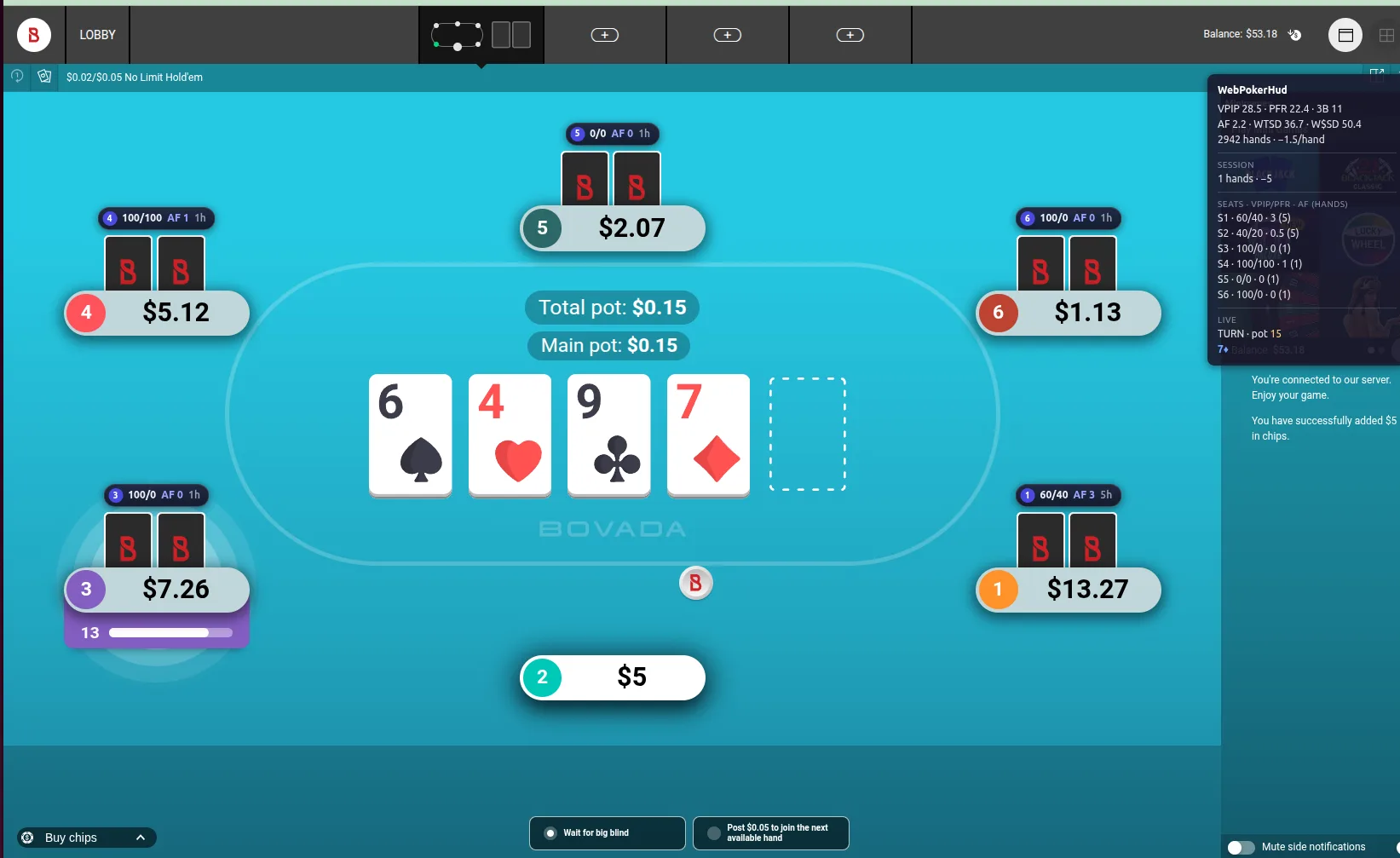
Live HUD overlay
Real-time stats rendered directly over the table — VPIP, PFR, 3-bet and more, updating as hands play out.
Hero & opponent tracking
Every hand you play is captured and tracked automatically. No hand-history imports, no folder watching.
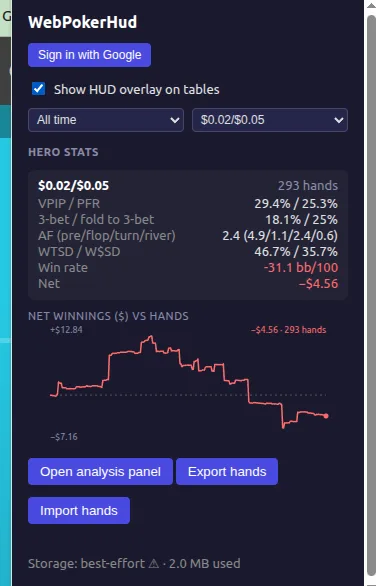
Winnings graph
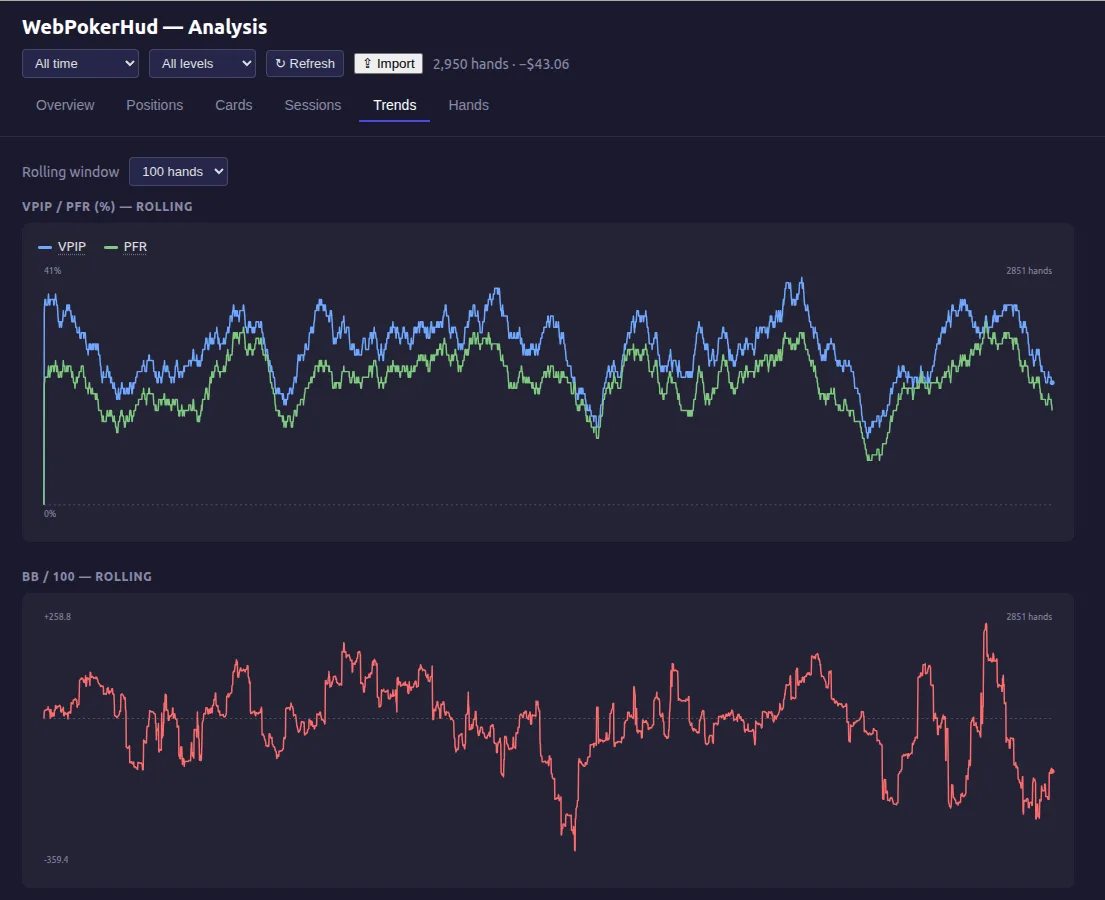
A cumulative net-winnings graph across all your sessions, one click from the toolbar.
Your data stays local
The free tier is 100% client-side. Hands live in your browser and never touch our servers.
Hand history converter
Export every hand in PokerStars format for PokerTracker 4, Hand2Note or Holdem Manager — or as JSONL in an open, documented format. No 24-hour wait.
Pro analysis
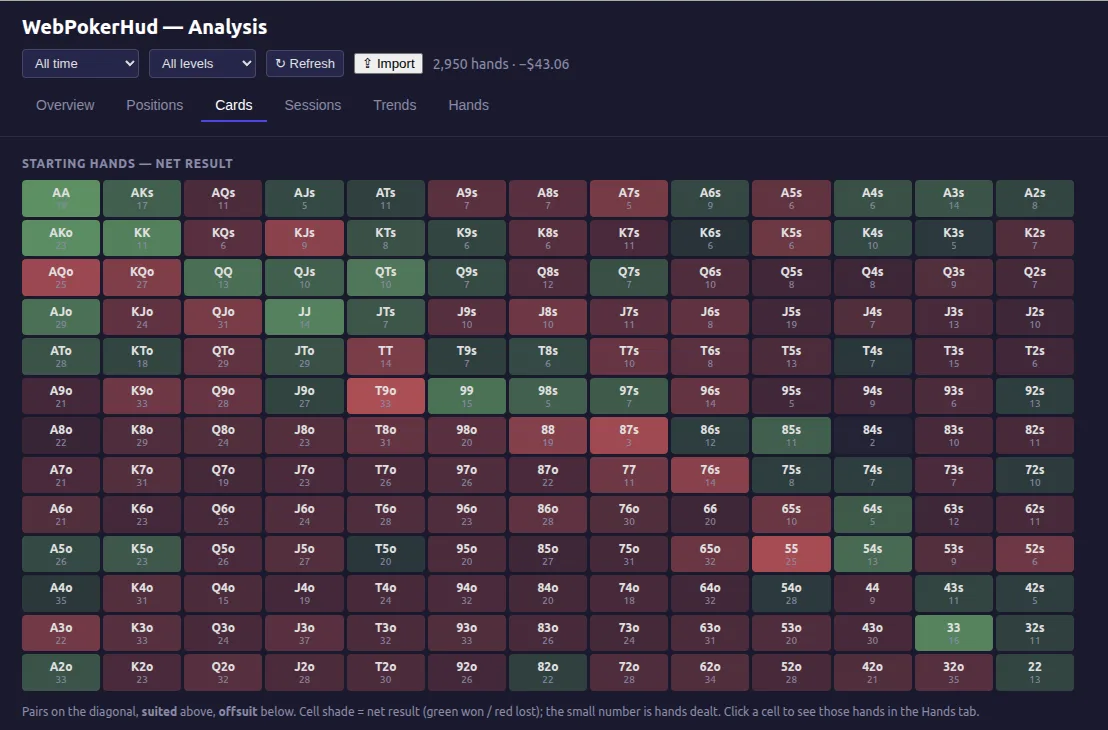
Optional subscription adds a full analysis panel: hand review, session reports and leak detection.
A HUD for Bovada's anonymous tables
Bovada (and Ignition, Bodog) run anonymous tables: every opponent is just a seat number, and the site releases hand histories a day late in a format most tools do not read. That is why the HUDs you know from other sites either do not work on Bovada or need a desktop converter running next to the client. A Bovada HUD can still do two things well, and WebPokerHud does exactly those two.
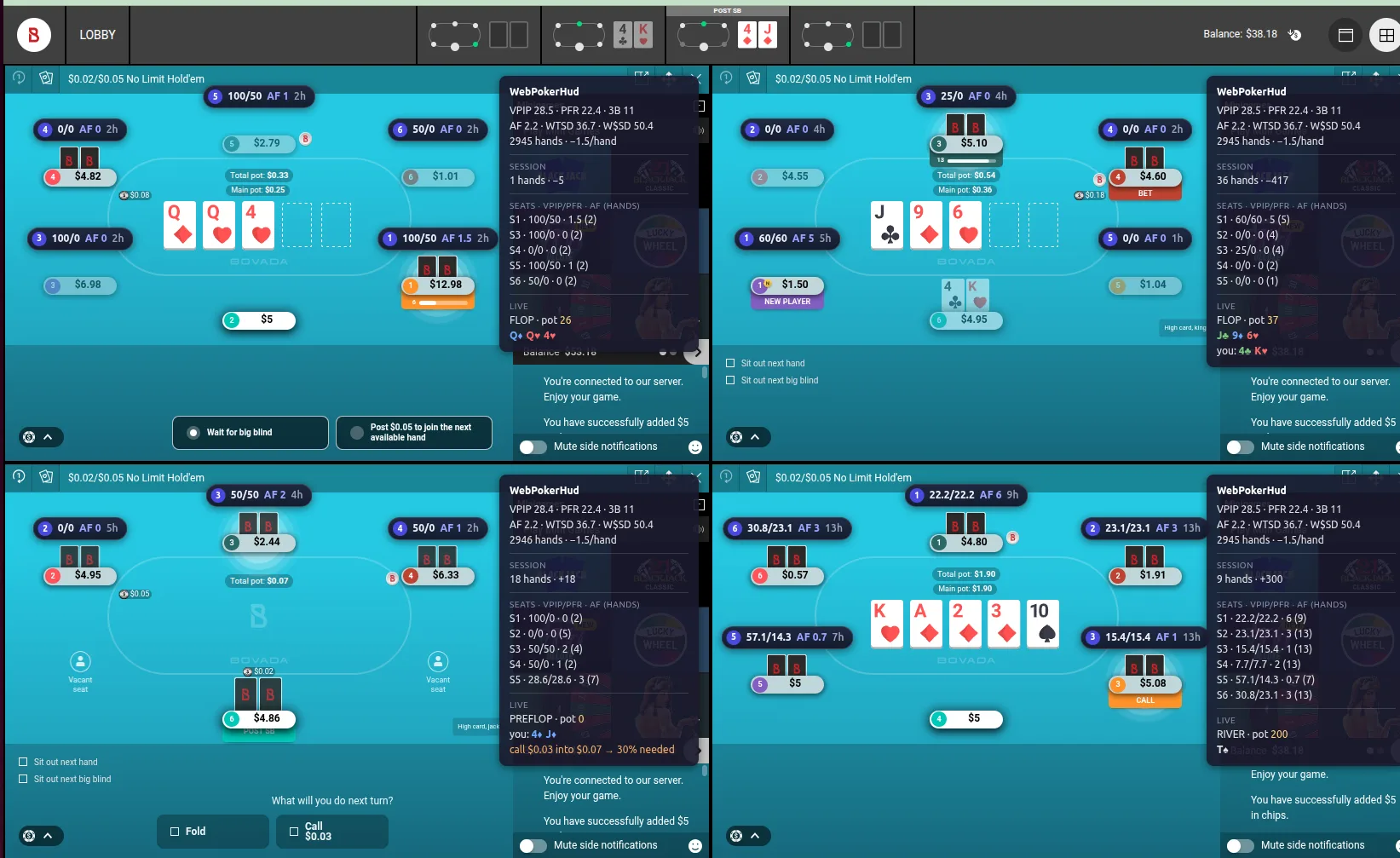
Session stats on the table. While you sit at a table, every seat accumulates VPIP, PFR, 3-bet, aggression and hands played for that session, rendered as a chip over the seat. Stats reset when you leave the table, because the player behind the seat changes — the same limit every Bovada HUD has, stated plainly.
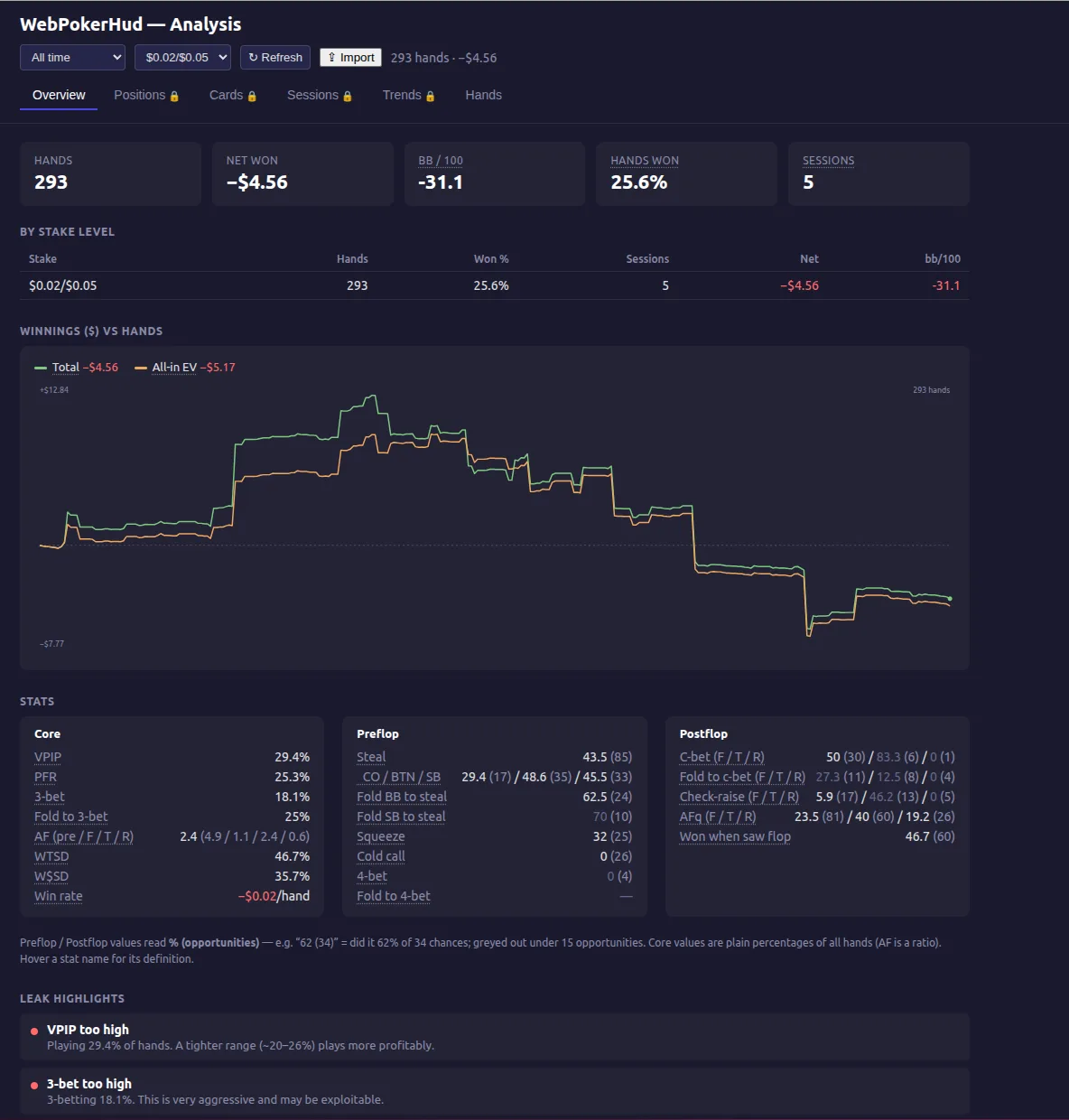
Your own hands, permanently. Every hand you play is saved in your browser the moment it ends: your stats over thousands of hands, a net-winnings graph with an all-in EV line, replays, and a one-click hand history converter to PokerStars format, so PokerTracker 4, Hand2Note or Holdem Manager import your Bovada hands as if they came from PokerStars.
It runs as a Firefox extension, so there is nothing to install on your operating system — it is the one Bovada HUD that works on a Mac or on Linux. It reads the game events your own client already receives, sends nothing to the site, and automates nothing. The code is MIT-licensed with reproducible builds. Bovada's terms have their own rules about third-party software; the FAQ says what we can and cannot promise.
Common questions
- Does a HUD work on Bovada?
- Yes, as a session HUD: stats for every seat while you sit at the table, plus your own complete history. Cross-session opponent tracking is impossible on anonymous tables, and no tool can honestly claim it.
- Is a HUD allowed on Bovada?
- Bovada's terms restrict third-party software at their tables, and only Bovada enforces them. The extension never sends anything to the site and never acts for you; read the terms and decide for yourself. Not affiliated with Bovada.
- Can I get my Bovada hand history into PokerTracker or Hand2Note?
- Yes. The converter writes every hand you played as PokerStars-format text; import the folder and your tracker treats them as PokerStars hands. No 24-hour wait.
What v1.0.1 supports
We'd rather be explicit than surprising: here is exactly what this release covers, and what ships next.
Supported in v1.0.1
- ✓Bovada cash games — No-Limit Hold’em
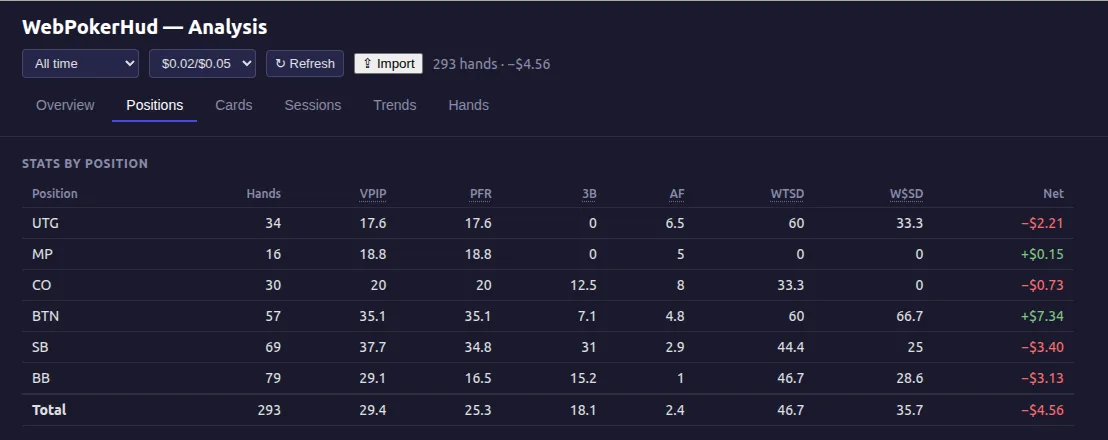
- ✓6-max tables: full HUD, per-seat stat chips, position stats
- ✓Multi-tabling — every table gets its own HUD
- ✓Analysis panel: overview, hand history with replays, JSON export/import
- ✓Hand history converter: PokerStars-format export for PokerTracker 4, Hand2Note, Holdem Manager
- ✓Firefox on desktop (128 or newer) — one-click install from Firefox Add-ons
- ✓Chrome on desktop — manual install (see below)
Coming next
- →9-max tables (hands already tracked; HUD layout being finished)
- →Tournaments and fast-fold formats
- →More poker sites — the connector layer is platform-agnostic by design
Using Chrome?
The Chrome Web Store does not list tools that run on poker sites, so on Chrome WebPokerHud installs manually. It takes about a minute and the extension works exactly the same.
- Download the latest Chrome release zip and unzip it somewhere you will keep it (the folder must stay in place).
- Open
chrome://extensionsand switch on Developer mode (top right). - Click Load unpacked and choose the unzipped folder.
Chrome shows a “developer mode extensions” notice on startup for manually installed extensions — that is expected. Updates: download the new release and repeat step 3 on the same folder.
See it in action
Private by architecture, not by promise
The free tier has no account, no sign-up and no server. The client is open source, so you can verify that yourself. Hands are only ever uploaded when a Pro subscriber explicitly asks for server-side analysis — and the data format is public, so you can always take your hands elsewhere.